# Calendar

A unified calendar that displays **<span style="color: rgb(53, 152, 219);">[tasks](https://docs.sim-on.com/books/3-app-overview/page/tasks-2Gf)</span>** and <span style="color: rgb(53, 152, 219);">[**events**](https://docs.sim-on.com/books/3-app-overview/page/events-x9f)</span> from every **space**, in a tile-based layout, allowing users to view, organize, and manage them in one, centralized place.

![image.png](https://docs.sim-on.com/uploads/images/gallery/2026-07/scaled-1680-/TdYimage.png)

Create both **Events** and **Tasks** directly from this view with ![image.png](https://docs.sim-on.com/uploads/images/gallery/2026-08/scaled-1680-/8Xoimage.png) button.

<p class="callout info">See **<span style="color: rgb(53, 152, 219);">[tasks](https://docs.sim-on.com/books/3-app-overview/page/tasks-2Gf)</span>** and <span style="color: rgb(53, 152, 219);">[**events**](https://docs.sim-on.com/books/3-app-overview/page/events-x9f)</span> pages for detailed information about their creation process</p>

---

#### **Navigation**

**![image.png](https://docs.sim-on.com/uploads/images/gallery/2026-08/scaled-1680-/PqRimage.png)![image.png](https://docs.sim-on.com/uploads/images/gallery/2026-08/scaled-1680-/JKFimage.png)**

To navigate the Calendar, you can change the **display type** in the **upper right corner**. Depending on your choice you can then select   
a specific time (*in this case month*) you want to see - using left and right arrows in the **upper left corner**, or jump to the current day by clicking "Today" button.

##### Calendar Display

You can change the Calendar display type depending on your needs: choose one of the three available ones:

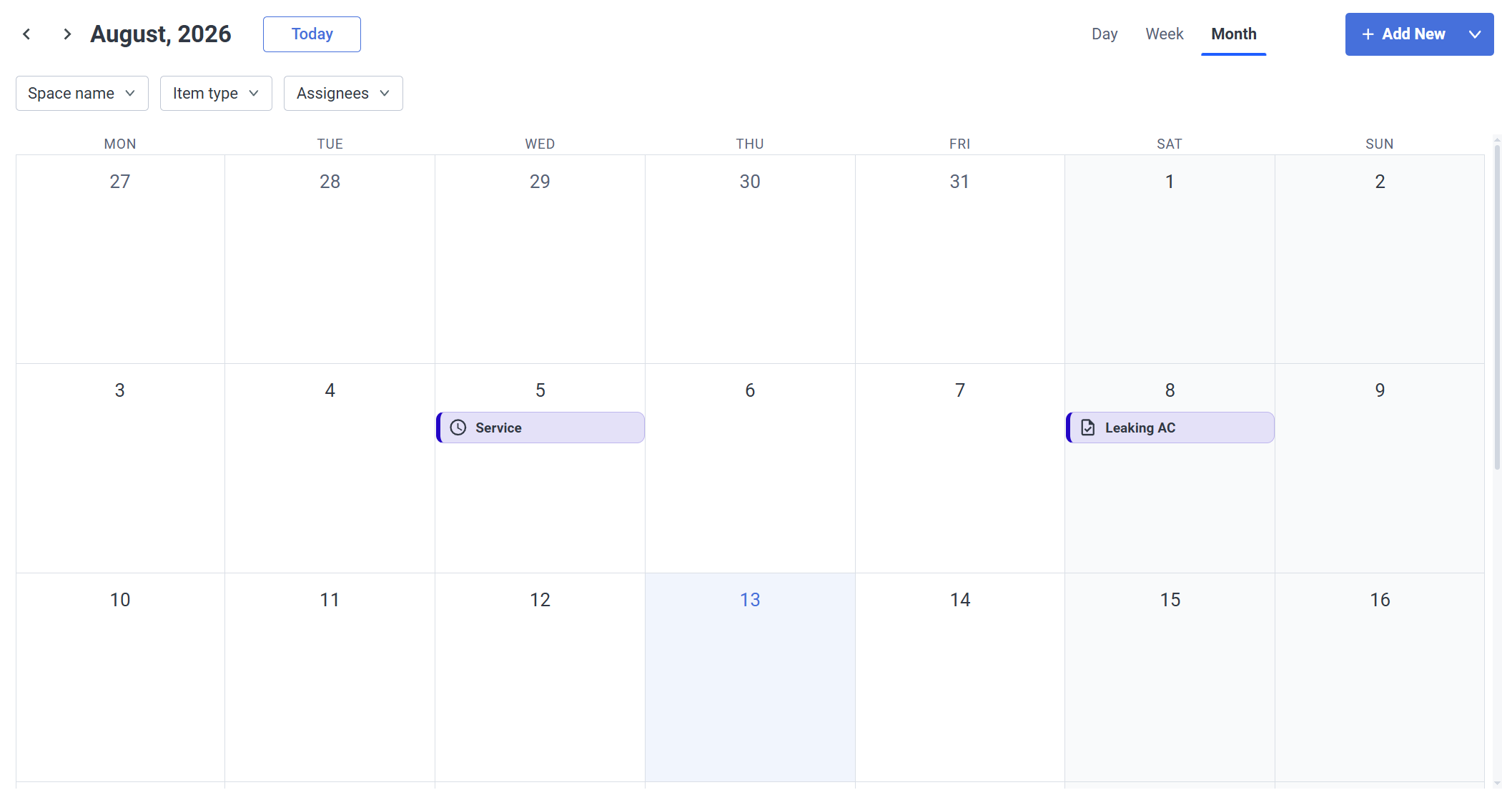
**- Month**

The most general one - events and tasks are shown per day

[![image.png](https://docs.sim-on.com/uploads/images/gallery/2026-08/scaled-1680-/ozkimage.png)](https://docs.sim-on.com/uploads/images/gallery/2026-08/ozkimage.png)
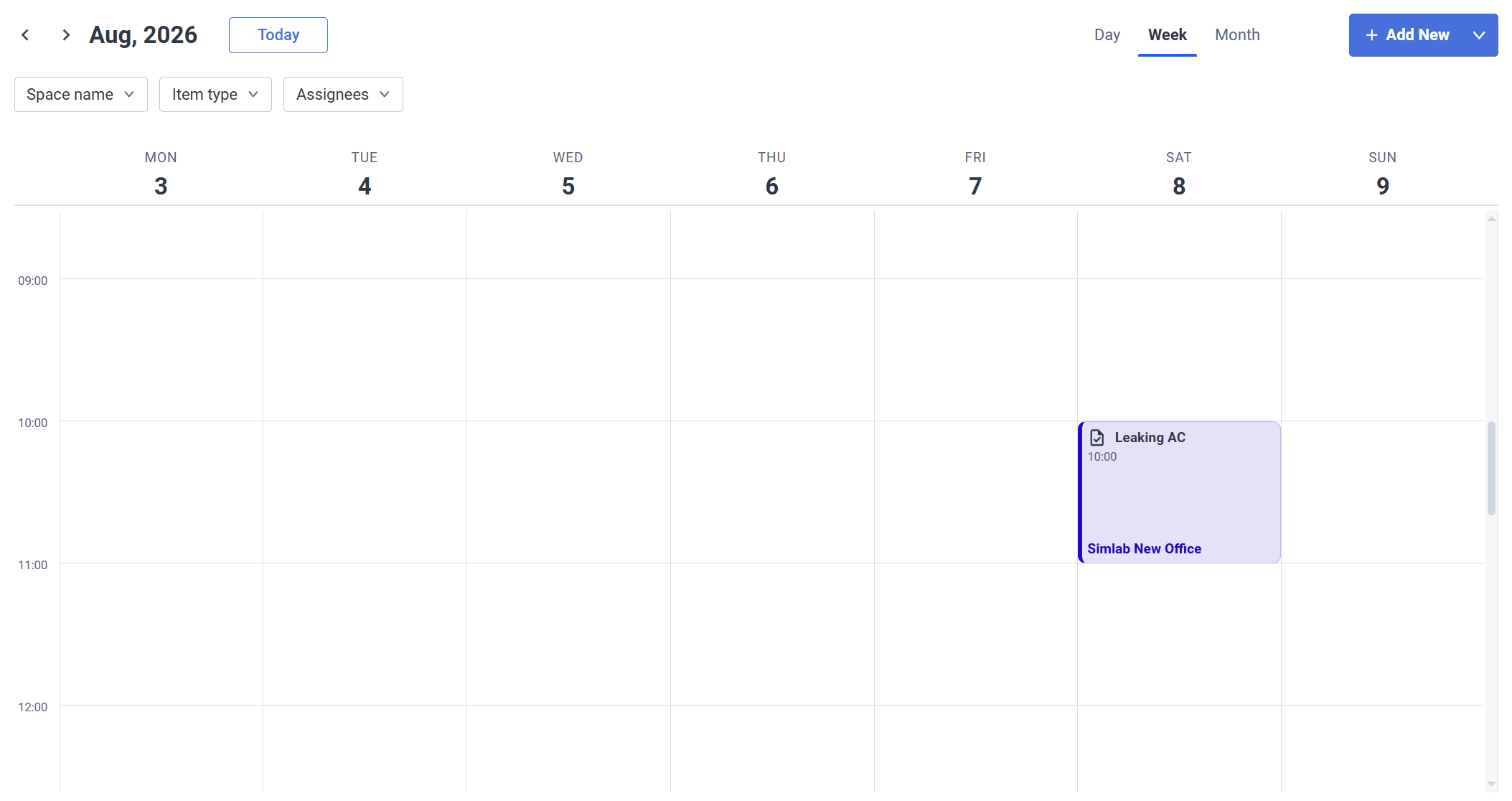
**- Week**

A more detailed view - Limiting the view to a week, includes a timetable for the events/tasks where you can see an exactly scheduled time for them.
![image.png](https://docs.sim-on.com/uploads/images/gallery/2026-08/scaled-1680-/nmSimage.png)

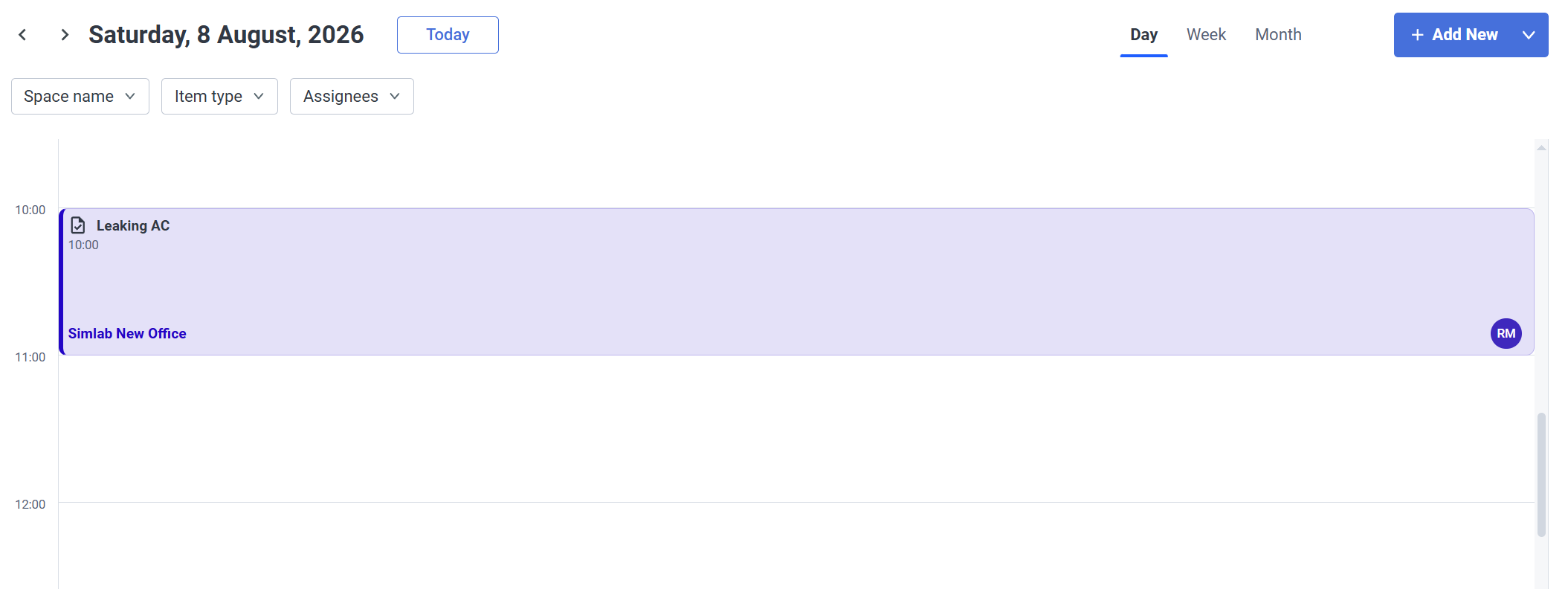
**- Day**

Same as with the week view, but now it's only a single day

[![image.png](https://docs.sim-on.com/uploads/images/gallery/2026-08/scaled-1680-/XA3image.png)](https://docs.sim-on.com/uploads/images/gallery/2026-08/XA3image.png)
---

#### **Filters**

![image.png](https://docs.sim-on.com/uploads/images/gallery/2026-08/scaled-1680-/BLTimage.png)

<table border="1" id="bkmrk-space-name--%C2%A0show-ev" style="border-collapse: collapse; width: 100%; border-width: 0px; height: 102.615px;"><colgroup><col style="width: 33.3651%;"></col><col style="width: 33.3651%;"></col><col style="width: 33.3651%;"></col></colgroup><tbody><tr style="height: 102.615px;"><td style="border-width: 0px; height: 102.615px;">- **Space name -** Show events and tasks for specific Spaces

</td><td style="border-width: 0px; height: 102.615px;">- **Item type -** show tasks or events specifically

</td><td style="border-width: 0px; height: 102.615px;">- **Assignees -** Show tasks and/or events for specific people they are assigned to

</td></tr></tbody></table>