# History log

####   


In the History log tab you will find the latest activity in the project and its type, time and the user it was triggered by.  
<span style="font-size: 11pt; font-family: Arial, sans-serif; background-color: transparent; font-weight: 400; font-style: normal; font-variant: normal; text-decoration: none; vertical-align: baseline; white-space: pre-wrap;"><span style="font-size: 11pt; font-family: Arial, sans-serif; background-color: transparent; font-weight: 400; font-style: normal; font-variant: normal; text-decoration: none; vertical-align: baseline; white-space: pre-wrap;"><span style="font-size: 11pt; font-family: Arial, sans-serif; background-color: transparent; font-weight: 400; font-style: normal; font-variant: normal; text-decoration: none; vertical-align: baseline; white-space: pre-wrap;">  
</span></span></span>

![image.png](https://docs.sim-on.com/uploads/images/gallery/2026-08/scaled-1680-/7mtimage.png)

---

#### Filters

Quickly find action logs using various filters or search for specific phrase

<table border="1" id="bkmrk-time-%C2%A0filter-the-his" style="border-collapse: collapse; width: 100%; border-width: 1px; border-style: hidden; height: 372.225px;"><colgroup><col style="width: 33.3333%;"></col><col style="width: 33.3333%;"></col><col style="width: 33.3333%;"></col></colgroup><tbody><tr style="height: 372.225px;"><td style="height: 372.225px;">##### Time

 Filter the history log by recent time

![image.png](https://docs.sim-on.com/uploads/images/gallery/2026-08/scaled-1680-/9Aqimage.png)

</td><td style="height: 372.225px;">##### Type

 Filter the history log by type of event

![image.png](https://docs.sim-on.com/uploads/images/gallery/2026-08/scaled-1680-/usgimage.png)

</td><td style="height: 372.225px;">##### User

 Filter the history log by user trigger

![image.png](https://docs.sim-on.com/uploads/images/gallery/2026-08/scaled-1680-/mekimage.png)

![image.png](https://docs.sim-on.com/uploads/images/gallery/2026-08/scaled-1680-/W2Ximage.png)

</td></tr></tbody></table>

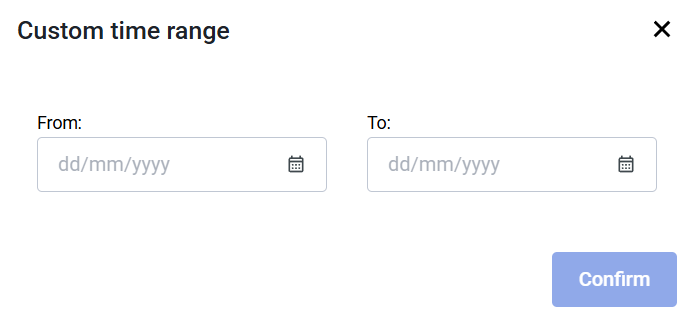
<table border="1" id="bkmrk-custom-time-range-ti" style="border-collapse: collapse; width: 100%; border-width: 1px; border-style: hidden;"><colgroup><col style="width: 33.7207%;"></col><col style="width: 32.6521%;"></col><col style="width: 33.7226%;"></col></colgroup><tbody><tr><td>##### Custom Time Range

Time filter has a custom time range option   
where you can specify the specific range
![image.png](https://docs.sim-on.com/uploads/images/gallery/2026-08/scaled-1680-/FYximage.png)

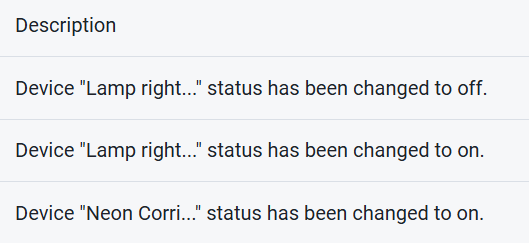
</td><td>##### Description

 Triggered Event description
![image.png](https://docs.sim-on.com/uploads/images/gallery/2026-08/scaled-1680-/vPtimage.png)

</td><td>##### Search

Classic search-by-name feature - works across every filter type and **Description**

![image.png](https://docs.sim-on.com/uploads/images/gallery/2026-08/scaled-1680-/W97image.png)

</td></tr></tbody></table>

---