
Tasks
Create, manage and assign tasks for other space users.
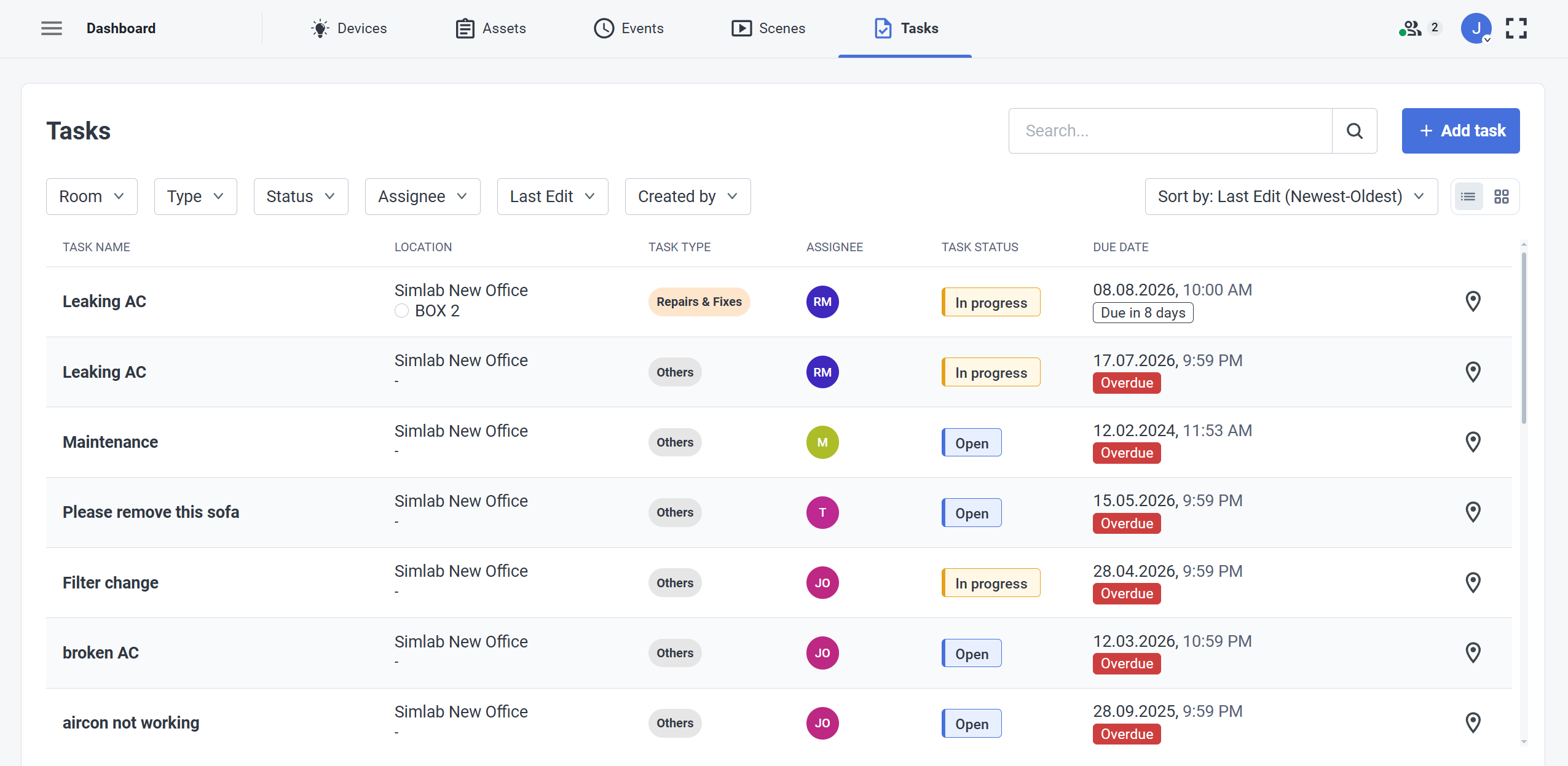
The Tasks view in the Dashboard is a detailed Task management view for the project, where you can see the status of every task together with other necessary information such as:
- Due date
- Assignee
- Task Status and Type
From here, you can easily go to the location of the task, using location pin  button at the right end of the task tile.
Task Creation
|
|
Extended Task options view:
|
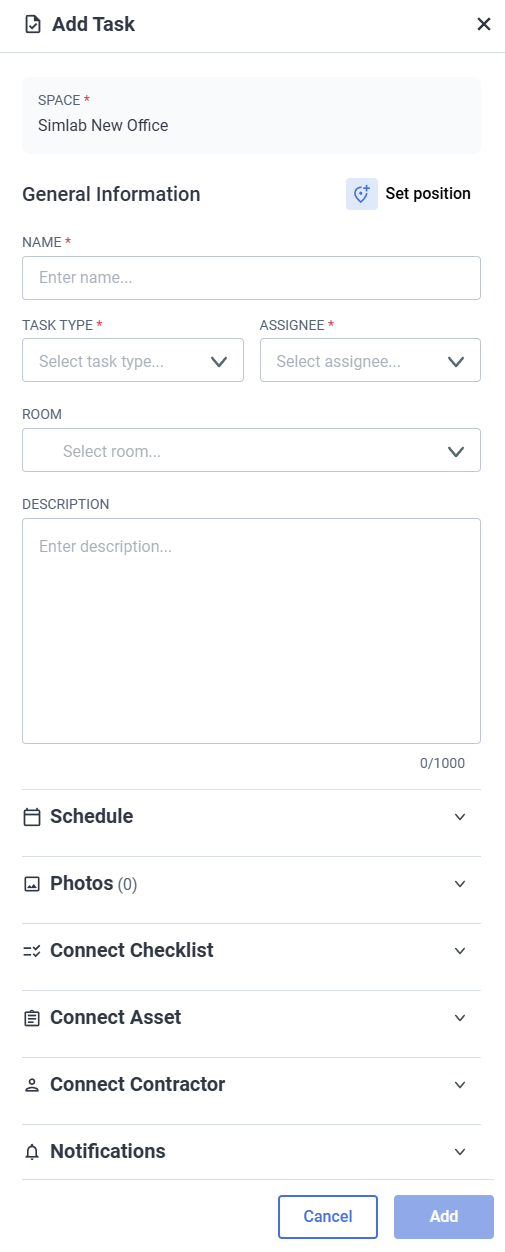
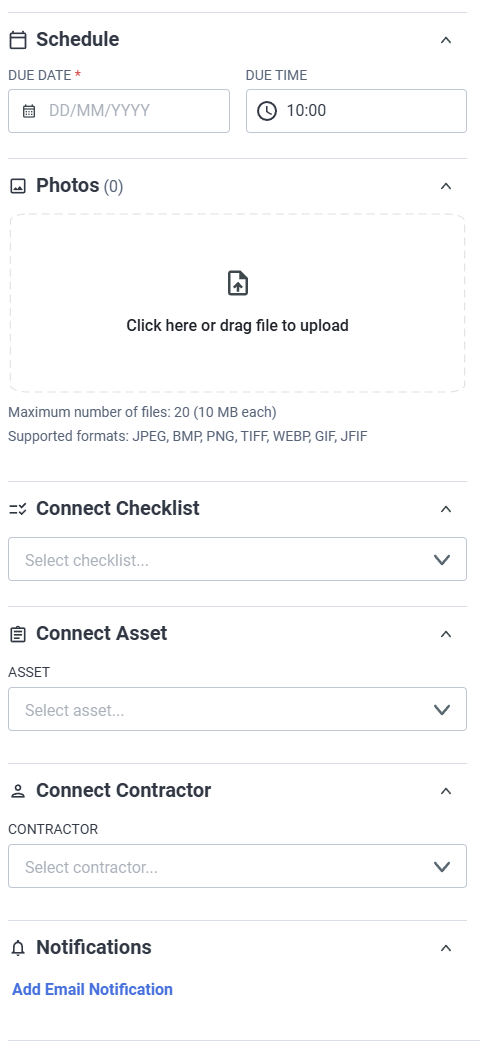
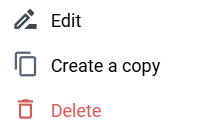
To edit a task, click on the more options  button located at the end of the Task tile.
This will open a new window with following options:
Filter, Sort and Search

 The ticket management functions are fitted with comprehensive filter, sort and search functionality. Handle large amounts of tickets by:
- Room
- Ticket Type
- Ticket Status
- People Assigned
- Date Range
- Original Creator